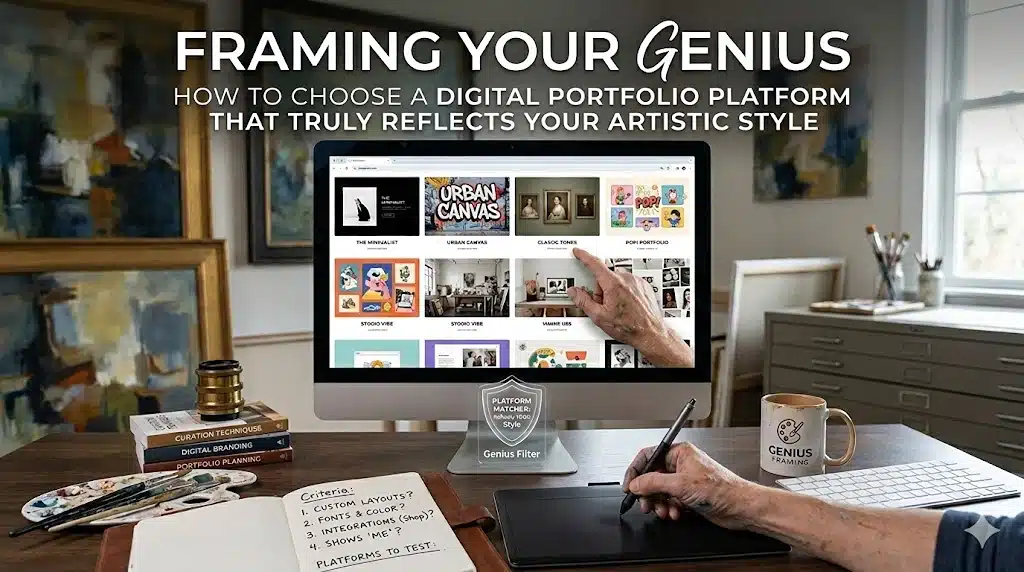
1. The Hook: When Your Art Looks “Wrong” Online
You finally decide it is time. You gather your favorite pieces—those late-night experiments, that one painting that made you cry when you finished it, the illustration that got you your first commission—and upload them to a portfolio platform everyone swears is “the best.”
At first, it feels exciting. A grid of thumbnails appears. You add titles. You write descriptions. But when you step back and look at the whole page, your stomach drops.
Your delicate ink drawings are crammed into tiny boxes next to loud banner graphics you did not design. Your color grading looks off against the platform’s default bright white background. Your work—so carefully composed in the studio—now feels generic, like it could belong to anyone.
You have not changed a single brushstroke, yet something important is gone: your presence.
This is the quiet heartbreak many artists experience when they pick a portfolio platform simply because it is popular, free, or “good for exposure.” A digital portfolio is not just a gallery; it is a frame, a room, a first impression. If the platform’s design language clashes with your style, your work can feel diminished, misunderstood, or even miscast for the opportunities you actually want.
You deserve better than that. Your portfolio should feel like walking into your studio, not someone else’s showroom.
2. The Real Job of a Digital Portfolio
A digital portfolio has three core jobs, and all three must serve your style and path as an artist:
- Show your work clearly and beautifully.
The platform’s layout, color, typography, and image handling should support your aesthetic instead of fighting it. Some builders (like Squarespace or Wix) focus heavily on visual templates, galleries, and grid types tailored to creative work. - Communicate who you are and what you do.
A recruiter or collector should be able to understand—in thirty seconds—what kind of artist you are, what medium you work in, and what kind of opportunities you are looking for. - Move people toward action.
That action might be contacting you for a commission, inviting you to an exhibition, buying a print, or shortlisting you for a studio job. Certain platforms specialize in this: ArtStation is tightly aligned with entertainment and game industries, with an integrated marketplace and recruiter presence.
When artists feel disappointed with their online presence, it is often because they picked a platform that excels at one job but fails at the others for their specific needs. A cinematic concept artist and a watercolor botanical painter do not need the same digital environment. You are not “too picky” for caring about this. You are being a professional.
3. Know Thyself: Clarifying Your Style and Goals Before Picking a Platform
Before comparing features, ask yourself two deceptively simple questions:
3.1. What does my art feel like?
Is it loud or quiet? Minimal or maximal? Graphic or painterly? Dark and moody or luminous and airy?
A moody, atmospheric painter might thrive in a clean, minimalist layout like those found on Squarespace, where large images and generous white space dominate. A character concept artist, on the other hand, may feel more at home on ArtStation, where the entire environment is built to celebrate high-detail, high-impact images.
3.2. What do I want this portfolio to do for me in the next twelve months?
- Land a studio job?
- Attract private commissions?
- Sell prints or digital assets?
- Get into exhibitions or residencies?
- Build a mailing list and long-term audience?
Each goal nudges you toward different platforms. ArtStation and Behance connect you with recruiters and creative directors. Squarespace and Wix shine when you want client-facing branding and integrated shop features. A self-hosted WordPress site offers deep customization and scalability for complex, long-term portfolios.
Taking ten honest minutes to write this down will save you months of frustration later.
4. The Landscape: Major Types of Portfolio Platforms for Artists
Let us break down the main categories in plain artist terms.
4.1. 1. Community-Based Portfolio Platforms
Examples include ArtStation, Behance, and DeviantArt. These are “shared gallery buildings” where you rent a wall rather than own the entire space.
Pros:
- Built-in audience and discovery.
- Social features: likes, comments, follows, curated galleries.
- Industry visibility: ArtStation is deeply embedded in games, visual effects, and concept art hiring pipelines.
- Often free or low cost to start.
Cons:
- Limited control over layout and branding.
- Your work competes visually with thousands of others.
- The platform’s visual identity partially overrides yours.
- Less ideal if you want your own strong “brand world.”
Community platforms are powerful if your style aligns with their dominant culture. ArtStation is exceptional if you are a concept, game, or visual effects artist; many studios directly expect a link to your ArtStation profile. Behance can be fantastic for multidisciplinary designers and illustrators seeking broad exposure.
4.2. 2. Website Builders With Portfolio Templates
Examples include Wix, Squarespace, Format, Carbonmade, and Weebly.
Pros:
- Highly visual templates built for galleries and case studies.
- Drag‑and‑drop design allows you to echo your style through typography, colors, and layout.
- Built-in tools for selling prints, digital downloads, or commissions (for example, Wix Art Store).
- Own a unique web address and stronger brand presence.
Cons:
- Monthly fees, especially if you want custom domains or online shops.
- You must do more curation and design thinking yourself.
- Less built-in community; you need to drive traffic.
These builders are ideal when you want your site to feel like a gallery devoted entirely to your work, with your voice narrating, not the platform’s.
4.3. 3. Self-Hosted Websites
A common choice here is a self-hosted WordPress site using portfolio themes and gallery plugins.
Pros:
- Deepest level of control over layout, structure, and functionality.
- You own the whole environment: branding, content, navigation, even custom features like private client areas.
- Scales easily with your career (blog, shop, courses, resources).
Cons:
- Steeper learning curve and more maintenance.
- Requires separate hosting, domain management, and security awareness.
- Easy to get lost in customization and delay actually publishing work.
Self-hosted sites are for artists who want an online “home” that can grow into a multi-layered practice: portfolio, education, shop, and personal storytelling.
5. Matching Platforms to Artistic Personality: A Practical Comparison
| Platform Type | Feels Like | Best For | Visual Strength | Style Fit Clues |
|---|
| ArtStation | Industry gallery | Concept, game, and visual effects artists | Large, high-impact images and 3D assets | You love cinematic scenes, detailed models, and want studio work. |
| Behance | Creative network | Illustrators, designers, multi-disciplinary artists | Project case studies and process breakdowns | You like showing process, branding, and design thinking. |
| Wix | Customizable showroom | Artists who want control and a shop | Highly customizable templates and galleries | You care about layout nuance and brand-like presentation. |
| Squarespace | Minimalist gallery | Photographers, painters, fine artists | Clean, elegant gallery layouts | You like refined, minimalist presentation and simple navigation. |
| Carbonmade | Playful studio | Illustrators and character artists | Fun grids, dynamic layouts | You want personality-heavy, informal but polished vibes. |
| Weebly | Simple display wall | Emerging artists wanting quick setup | Straightforward grids and pages | You want something easy, neat, and fast with minimal fuss. |
| Self‑Hosted WordPress | Custom-built gallery building | Artists planning a complex long-term site | Fully customizable with themes and plugins | You are willing to tinker and want long-term flexibility. |
Use this as a feeling map rather than a verdict. If you read a row and think “that sounds like my artistic personality,” that platform is worth deeper exploration.
6. Beyond Templates: The Subtle Technical Details That Affect Your Art
Two platforms might both offer “beautiful galleries,” yet your work can look dramatically different on each due to technical handling.
Here are key technical factors to check:
- Image handling and compression: Some builders compress images more aggressively, which can soften details or alter gradients. Squarespace and Wix offer high-quality image handling with professional-gallery options, though file limits and plan tiers apply. When testing a platform, upload one of your most delicate images (for example, soft watercolor transitions) and compare how it looks on-site versus in your editor.
- Background and typography control: If your art is subtle, busy backgrounds or default fonts can overwhelm it. Platforms like Squarespace and Format emphasize minimalist, gallery-style arrangements; Carbonmade leans into playful type and grids that might complement more animated work.
- Navigation depth: Some platforms favor single-page scrolling, others support complex multi-level navigation. If you work across several disciplines—say, children’s illustration, editorial work, and personal fine art—you may need clear category separation. WordPress and Wix excel at flexible site structure; ArtStation and Behance are more linear and project-based.
- Mobile experience: Many curators, art directors, and clients first encounter your work on a phone. Wix and Squarespace templates are typically optimized for mobile viewing; poor mobile optimization elsewhere can make your carefully composed piece feel cramped or misaligned.
Take this as part of your artistic responsibility: your digital frame must respect your brushstrokes.
7. Actionable Exercise 1: “Portfolio Moodboard” Before You Choose
Rather than starting with platforms, start with your world.
- Collect screenshots of websites, galleries, or digital spaces where your art would feel at home—even if they are not portfolios. These could be museum sites, fashion labels, lifestyle blogs, or film studio pages.
- Print or arrange these in a digital collage. Notice common themes: are they airy, dark, geometric, lush, or minimal?
- Write three adjectives that describe your ideal online “room” for your art. For example: “quiet, cinematic, spacious” or “bold, playful, bright.”
Now revisit platform homepages and templates (for example, Wix’s template gallery, Squarespace’s portfolio themes, Carbonmade’s examples). Which ones naturally echo your adjectives without heavy modification? This is your alignment check. A good platform should feel like a continuation of your moodboard, not an awkward compromise.
8. Actionable Exercise 2: Test Drive With One “Hero Series”
Instead of migrating your entire archive right away, start with a focused experiment.
- Choose one series of works (for example, a set of ten paintings that represent your current style).
- Create a trial gallery on two or three platforms you are considering—maybe ArtStation plus Squarespace plus Carbonmade.
- On each platform, build:
- A landing image or hero banner.
- A simple gallery page.
- A one-paragraph artist statement.
Step back and ask: Where does this series feel most “itself”? Where do I feel proud, not apologetic, sharing the link? Which platform supports my next step (applications, sales, commissions) most directly?
Give yourself permission to delete the experiments later. The point is not perfection; it is seeing your work breathe in different rooms.
9. Breaking the Rules: When You Should Ignore “Best Platform” Lists
Every year, new articles declare the “Top Ten Portfolio Websites for Artists.” They are useful starting points, but they do not know your history, insecurities, or ambitions.
Here are moments when you should deliberately ignore popular wisdom:
- When your style clashes with the platform’s dominant culture. If you are a quiet observational painter, you do not need to force yourself into ArtStation just because everyone in entertainment art uses it—unless you truly want that career path.
- When a platform overwhelms your nervous system. If tinkering with a self-hosted WordPress site makes you dread working on your portfolio at all, you are allowed to choose a simpler tool like Weebly, Crevado, or Portfoliobox, even if they are “less powerful.”
- When your audience is not “the internet at large.” If you primarily work through galleries, local collectors, or word‑of‑mouth commissions, a very simple, elegant Squarespace site or Carbonmade page may serve you better than a massive community platform.
- When you need a short‑term, targeted portfolio. Applying to a single residency or grant? You might spin up a simple, focused Wix or Adobe Portfolio site tailored specifically to that application instead of overhauling your entire online identity.
Sometimes the most professional decision is to choose what keeps you actually sharing your work instead of what looks impressive on paper.
10. Building for the Long Game: Combining Platforms Strategically
You do not have to choose only one. Many working artists maintain a combination:
- A polished personal site (for example, Squarespace or WordPress) as their main “home.”
- A community platform (for example, ArtStation or Behance) for industry visibility and networking.
- Social platforms (for example, Instagram or TikTok) as informal sketchbooks and audience-building tools.
A concept artist might use ArtStation for visibility with studios and a self-hosted site for educational resources and a shop. A fine artist might use Squarespace as their main gallery and maintain a minimal Behance presence for designer crossovers. Think of it as having your art hanging in multiple rooms, all pointing back to your main studio.
11. Actionable Exercise 3: Structure Your Ideal Portfolio Before You Touch Any Platform
To avoid being controlled by templates, sketch your ideal structure first. Take a sheet of paper and map this out:
- Home: One large hero image or a curated mosaic, plus a one-sentence description of who you are and what you do.
- Gallery Sections: Divide your work not by everything you have ever done, but by what you want more of: for example, “Book Illustration,” “Concept Art,” “Personal Fine Art,” or “Portrait Commissions.”
- About Page: A short narrative that speaks in your voice, not a stiff biography.
- Contact / Work With Me: Clear guidance on how people can reach you and what types of collaborations you welcome.
- Optional extras: Blog, shop, process page, or resources.
Once this map feels right, bring it to the platform of your choice and bend the templates to your will as much as the system allows. Wix and WordPress give the most structural flexibility; ArtStation and Behance are more constrained but still allow project grouping and descriptive text.
12. Emotional Pitfalls: Perfectionism, Comparison, and “Portfolio Shame”
Let us talk about the emotional weight of building a digital portfolio. Many artists stall for months because:
- They feel their work is “not ready” to be seen together.
- They compare their first draft site to polished portfolios from veterans.
- They are embarrassed by gaps in their career history.
Here is the truth: your portfolio is a living object, not a final exam. Those immaculate examples you see in “top portfolio websites” lists have been revised again and again over years. Give yourself permission to launch with one strong series instead of a lifetime retrospective, use a simple, clean template, and update quietly as you grow.
13. Micro-Tweaks That Make Your Portfolio Feel Like You
Whatever platform you choose, small choices transform a generic layout into a space that feels authentically yours:
- Color palette: Use accent colors that echo your recurring hues—perhaps the deep teal you always mix into shadows or the warm ochres that unify your paintings.
- Typography: Choose fonts that support your tone. A sharp, geometric sans serif might fit a futuristic concept artist; a humanist serif might feel right for a painter rooted in tradition.
- Image curation: Limit each section to your strongest work rather than every experiment. Your weakest piece sets the perceived floor of your skill.
- Rhythm and scale: Mix full-width hero images with smaller grids to create breathing space.
- Voice in text: Write descriptions as if you were speaking to one thoughtful viewer in your studio. Avoid jargon. Tell them what you cared about while making the piece.
14. Conclusion: Your Portfolio as a Living Room, Not a Glass Case
Choosing a digital portfolio platform is not about impressing an algorithm; it is about creating a place where your work—and by extension you—feel understood.
When you find a platform that aligns with your style, your goals, and your capacity, something shifts. Updating your portfolio stops feeling like a chore and starts feeling like arranging a room you love inviting people into. Recruiters sense that clarity. Collectors feel that care. You look at your own site and think, “Yes. That is me.”
So today, instead of waiting for the mythical “perfect platform,” take one small step: sketch your ideal structure, test one hero series on a couple of platforms, and choose the space where your art breathes easiest. Your digital portfolio is a living room where your style can sit down, stretch out, and speak for itself.